Token Visualizer
In order to help you, due to the fact
免费的 LLM token 计数器。看清 GPT-4 或 GPT-4o 如何把你的提示词切成 token、哪几行最费 token、哪些啰嗦的短语该删。省下多少,是把精简后的文本交给同一个分词器重新跑一遍实测出来的,不是估的。
免费,MIT 许可证,可离线使用。程序未签名:如果 Windows SmartScreen 弹出提示,先点更多信息,再点仍要运行。
工作原理
1. 切分
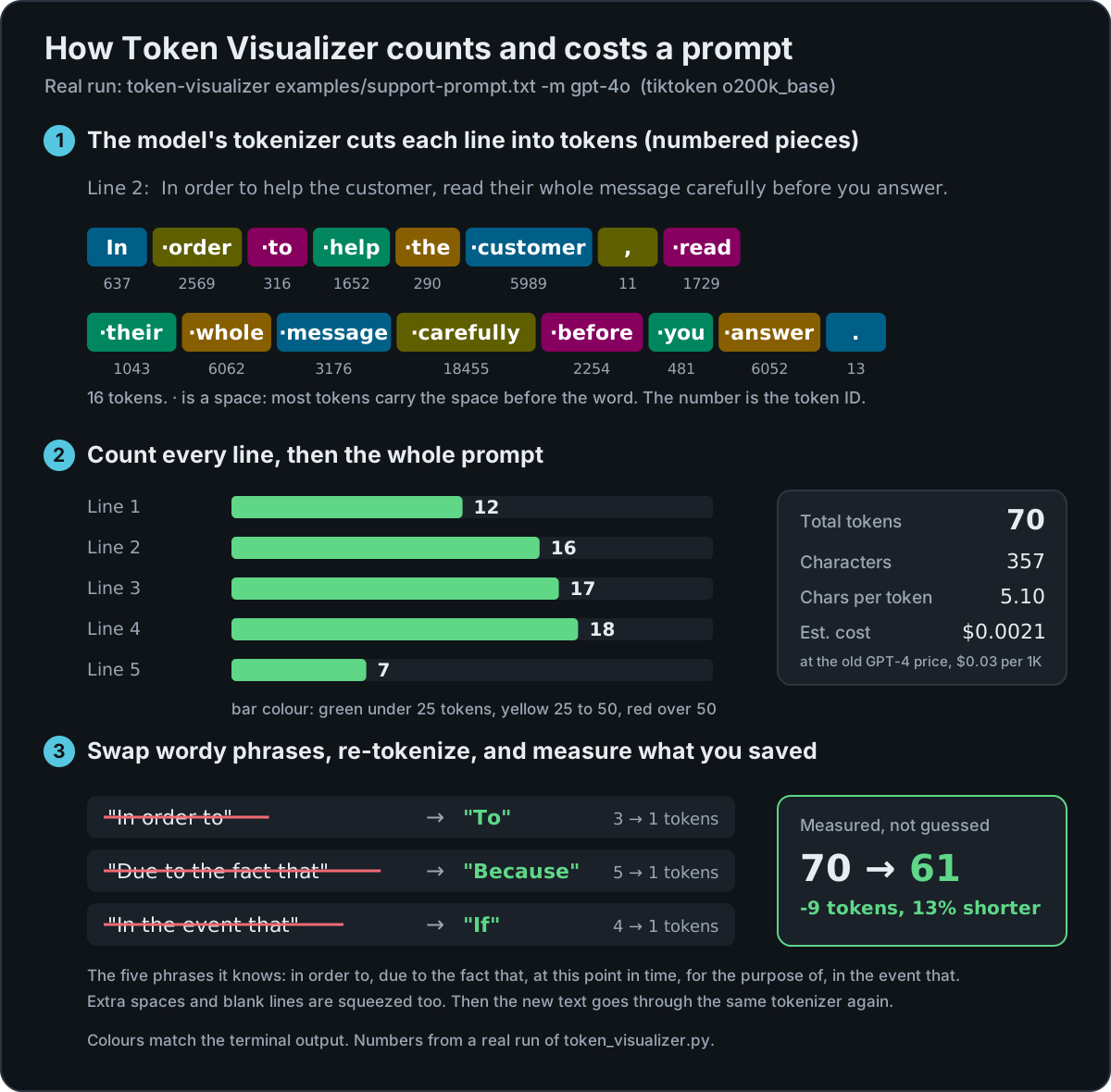
用模型自己的分词器(tiktoken)把每一行切成 token,也就是模型实际读取、按量计费的那些带编号的小块。
2. 计数
每一行都标出 token 数:25 以下为绿色,25 到 50 为黄色,超过 50 为红色;整段提示词给出总数和大致费用。
3. 实测
把啰嗦的短语换成简短的说法、压缩多余空白,再对新文本重新分词,报告真实的差值。
示例
以下均为 0.3.1 版的真实输出。
一句啰嗦的话
$ echo "In order to help you, due to the fact that you asked." | token-visualizer
  Total tokens: 14
  ...
  Applying the phrase and whitespace fixes: 14 → 8 tokens (-6, 43%)
精确的 token 边界
TOKEN BREAKDOWN:
  [0:In] [1: order] [2: to] [3: help] [4: you] [5:,] [6: due] [7: to] [8: the]
  [9: fact] [10: that] [11: you] [12: asked] [13:.\n]
大多数 token 会带上单词前面的空格,所以 order 和 order 是两个不同的 token。
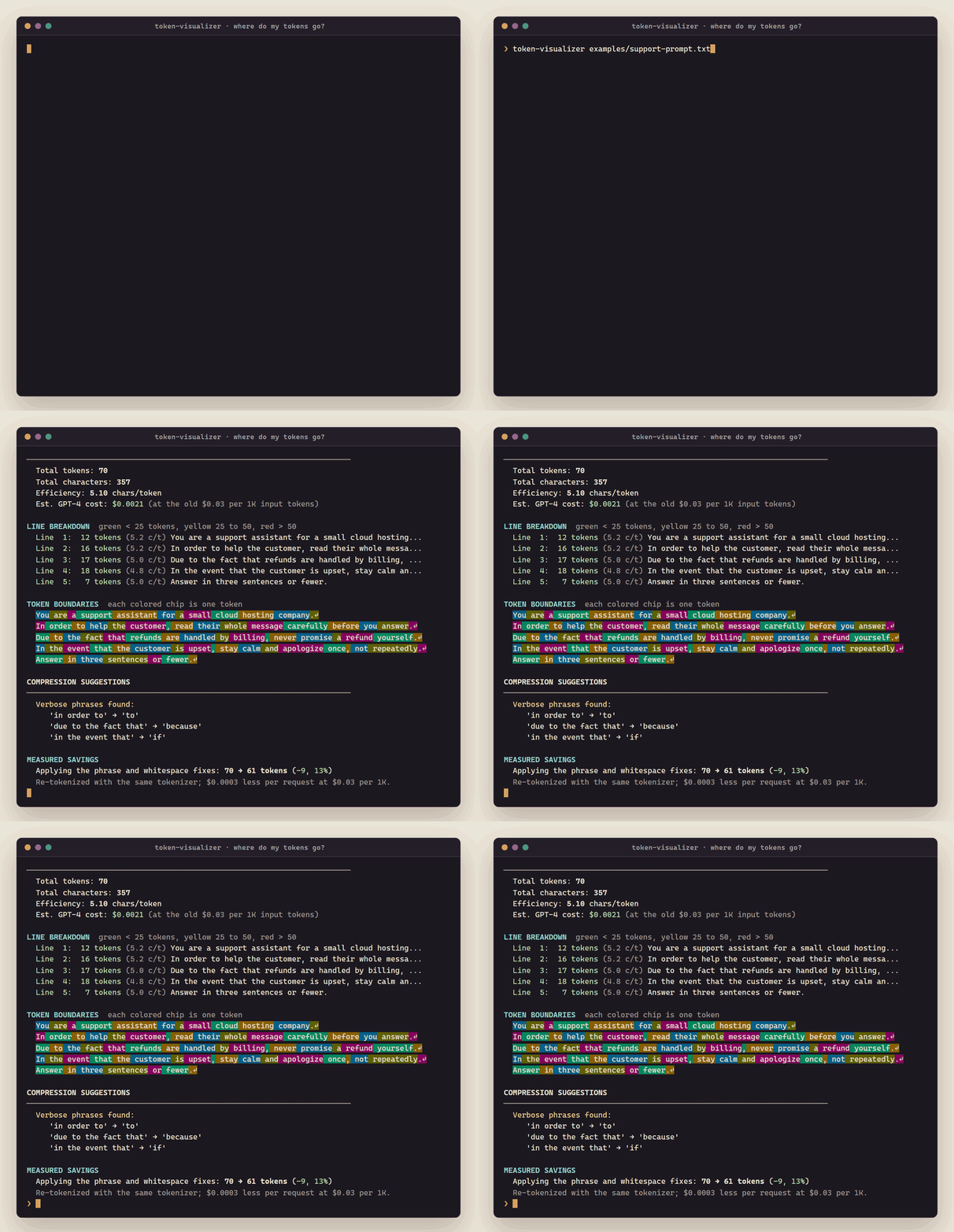
一段 5 行的客服提示词
$ token-visualizer examples/support-prompt.txt -m gpt-4o
  Verbose phrases found:
     'in order to' → 'to'
     'due to the fact that' → 'because'
     'in the event that' → 'if'
MEASURED SAVINGS
  Applying the phrase and whitespace fixes: 70 → 61 tokens (-9, 13%)
安装
| 平台 | 方式 |
|---|---|
| Windows | 下载 .exe,双击运行,粘贴你的提示词 |
| Windows(Scoop) | scoop bucket add mattbusel https://gitlab.com/mattbusel/scoop-bucket; scoop install mattbusel/token-visualizer |
| macOS、Linux(Homebrew) | brew install mattbusel/tap/token-visualizer |
| macOS、Linux(安装脚本) | curl -fsSL https://gitlab.com/mattbusel/Token-Visualizer/-/raw/main/install.sh | sh |
| 任何装有 Python 3.8+ 的系统 | pipx install git+https://gitlab.com/mattbusel/Token-Visualizer |
3 步上手
- 安装:用上面任意一行命令即可。
- 分析你的提示词:
token-visualizer prompt.txt -m gpt-4o,或者双击 .exe 后粘贴(最后按 Ctrl+Z,再按 Enter)。 - 删掉它标出的内容,再运行一次,看看新的 token 数。
Claude 没有公开的分词器,所以 claude-3-sonnet 会退回到按空白切分,并会明确提示。Llama 等开源模型可以传入 Hugging Face 模型 ID(需从源码安装并装上 transformers)。全部选项见参考文档。