Token Visualizer
In order to help you, due to the fact
無料の LLM トークンカウンターです。GPT-4 や GPT-4o がプロンプトをどうトークンに切り分けるのか、どの行がいちばん高くつくのか、どの冗長な言い回しを削ればいいのかがわかります。節約量は推測ではなく、短くしたテキストを同じトークナイザーにかけ直して実測します。
無料、MIT ライセンス、オフラインで動作します。署名なしのため、Windows SmartScreen の確認が出たら詳細情報、続けて実行をクリックしてください。
しくみ
1. 分割
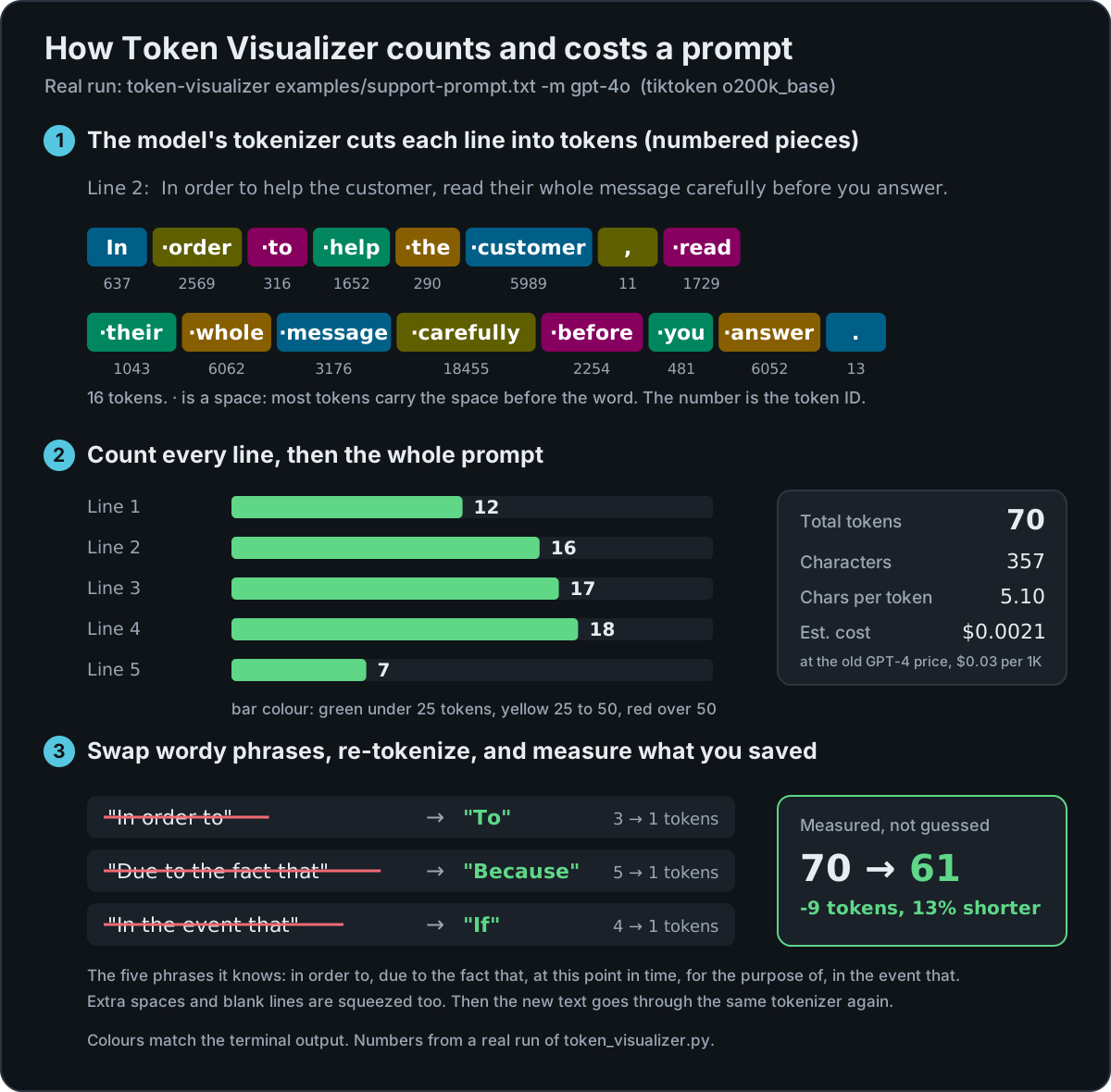
モデル自身のトークナイザー(tiktoken)で各行をトークンに分割します。トークンとは、モデルが読み込み、課金の単位にもなる番号付きの断片です。
2. 集計
行ごとにトークン数を表示します。25 未満は緑、25 から 50 は黄、50 を超えると赤。プロンプト全体の合計とおおよそのコストも出します。
3. 実測
冗長な言い回しを短い表現に置き換え、余分な空白を詰め、新しいテキストをもう一度トークン化して実際の差を報告します。
実行例
バージョン 0.3.1 の実際の出力です。
冗長な 1 文
$ echo "In order to help you, due to the fact that you asked." | token-visualizer
  Total tokens: 14
  ...
  Applying the phrase and whitespace fixes: 14 → 8 tokens (-6, 43%)
正確なトークンの境界
TOKEN BREAKDOWN:
  [0:In] [1: order] [2: to] [3: help] [4: you] [5:,] [6: due] [7: to] [8: the]
  [9: fact] [10: that] [11: you] [12: asked] [13:.\n]
ほとんどのトークンは単語の前のスペースを含むため、 order と order は別のトークンになります。
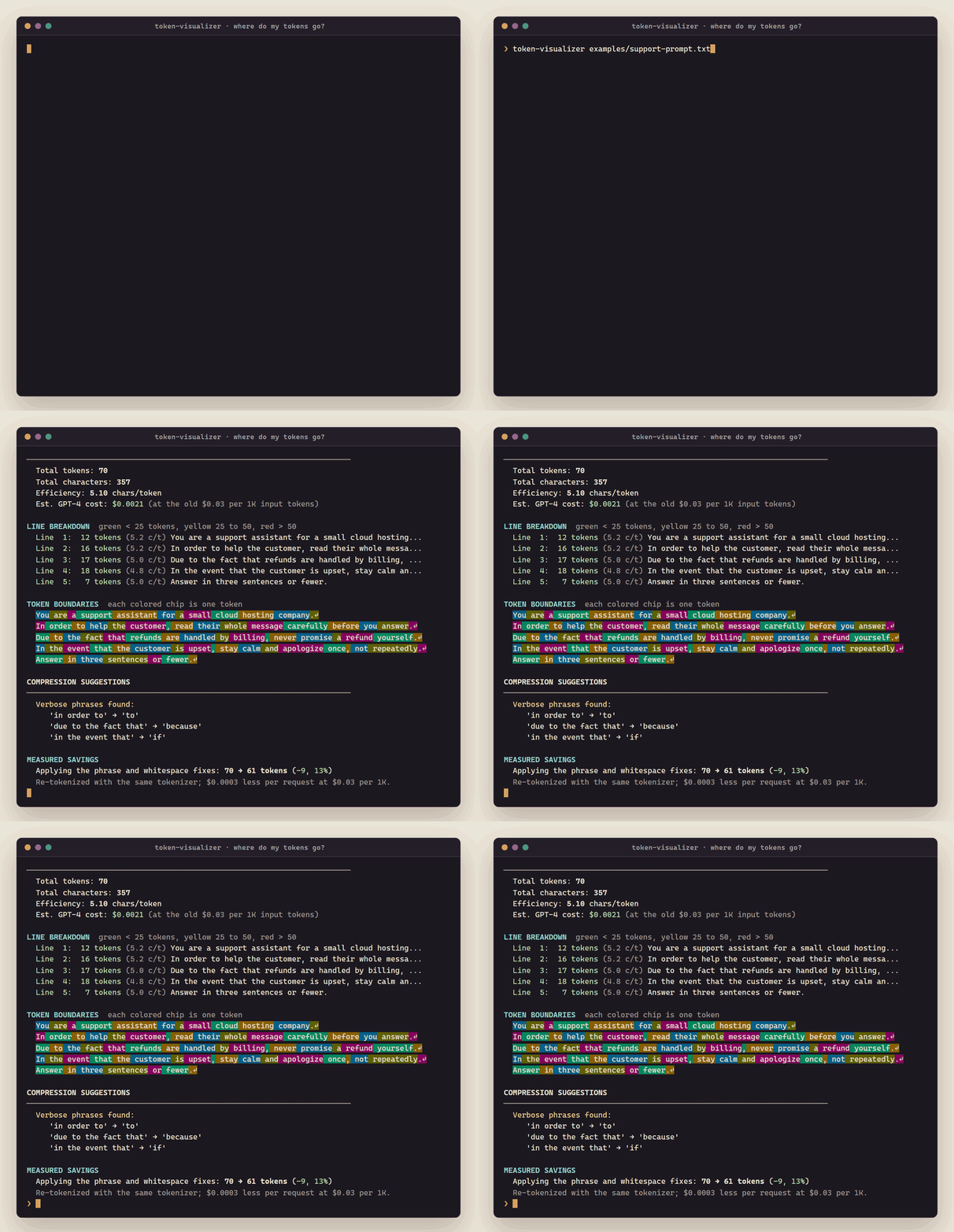
5 行のサポート用プロンプト
$ token-visualizer examples/support-prompt.txt -m gpt-4o
  Verbose phrases found:
     'in order to' → 'to'
     'due to the fact that' → 'because'
     'in the event that' → 'if'
MEASURED SAVINGS
  Applying the phrase and whitespace fixes: 70 → 61 tokens (-9, 13%)
インストール
| プラットフォーム | 方法 |
|---|---|
| Windows | .exe をダウンロードしてダブルクリックし、プロンプトを貼り付け |
| Windows(Scoop) | scoop bucket add mattbusel https://gitlab.com/mattbusel/scoop-bucket; scoop install mattbusel/token-visualizer |
| macOS、Linux(Homebrew) | brew install mattbusel/tap/token-visualizer |
| macOS、Linux(スクリプト) | curl -fsSL https://gitlab.com/mattbusel/Token-Visualizer/-/raw/main/install.sh | sh |
| Python 3.8+ が入った任意の OS | pipx install git+https://gitlab.com/mattbusel/Token-Visualizer |
3 ステップで使う
- 入手する:上のどの方法でもかまいません。
- プロンプトにかける:
token-visualizer prompt.txt -m gpt-4o、または .exe をダブルクリックして貼り付けます(最後に Ctrl+Z、続けて Enter)。 - 指摘された部分を削り、もう一度実行して新しいトークン数を確認します。
Claude には公開トークナイザーがないため、claude-3-sonnet は空白区切りにフォールバックし、その旨を表示します。Llama などのオープンモデルは Hugging Face のモデル ID を指定してください(ソースからのインストールと transformers が必要)。すべてのオプションはリファレンスへ。